
Smart Construction Site: Technology Selection, Pilots and Data Quality
Plan a smart construction site around useful field decisions. Compare digital workflows, test data reliability, manage security and evaluate pilot results.

A smart construction site uses digital information to improve decisions at the workfront. That can involve mobile inspection records, connected sensors, model-based coordination or progress imagery. The technology is useful only when someone can act on information that is sufficiently reliable for the intended purpose.
A dashboard is therefore an output, not the starting specification. Begin with the decision: which work is ready, which issue needs attention, which inspection is outstanding, or which material is available? This guide explains how to select a bounded workflow, test it on site and evaluate whether it is worth expanding.
Quick answer: how should a smart-site project begin?
Choose one recurring decision with a clear owner and an observable result. Document the current process, identify the minimum information needed, and run a limited pilot using actual field conditions. Test normal operation and failure cases before relying on the system.
Keep responsibility explicit. A sensor reading, automated classification or green status does not replace an authorized inspection, engineering judgment or site-specific safety control. The system must show when its information is missing, old or uncertain.
Start with the workflow, not a shopping list
Ask the team to describe one recurring frustration in concrete terms. “We need better visibility” is difficult to test. “Supervisors cannot find which rooms have passed the required inspection” identifies a decision, a user and a possible record.
Map how the information currently travels. Who creates it? Where is it checked? Who waits for it? What happens if it is wrong? Removing an unnecessary approval or clarifying a responsibility may be required before software can help.
Our construction site management guide explains work readiness and handoff states. A digital system should preserve those distinctions instead of compressing blocked, installed, inspected and released into a single percentage.
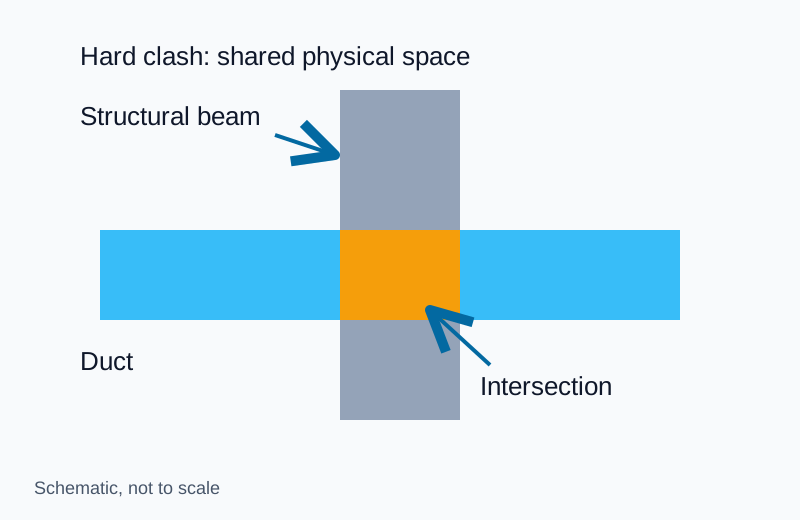
Compare use cases by the decision they support
| Workflow | Information needed | Potential benefit to test | Main limitation to investigate |
|---|---|---|---|
| Mobile inspection records | Location, checklist, evidence and reviewer | Faster retrieval of release status | Incomplete records or premature closure |
| Model-linked issue tracking | Element or area, issue, owner and revision | Clearer coordination across tools | Lost references after model changes |
| Material identification | Item, delivery, approval and location | Less searching for accepted stock | Tags detached or inventory not updated |
| Progress imagery | Coverage, capture time and agreed comparison | Better documentation of visible work | Hidden work and obstructed views |
| Environmental sensing | Measurement, location, time and device status | Earlier review of a defined condition | Placement, drift, outages and interpretation |
| Equipment-use records | Asset identity and relevant events | Better planning of availability | Activity mistaken for useful production |
Pick a use case where the team can observe the outcome and explain the consequences of an error.
Avoid starting with a safety-critical automation
An administrative pilot, such as locating inspection records, can help the team learn about devices and data without automatically controlling hazardous work. Where a proposed system affects safety-critical decisions, it needs the appropriate engineering, validation and governance before use.
Do not assume that a camera can reliably detect every unsafe condition or that an alert proves a work area is safe. The absence of a detection is not evidence of the absence of a hazard.
Define the minimum useful record
A photograph or number becomes more useful when its context is attached. Establish common identifiers for locations, work packages, assets and document revisions before collecting large volumes of data.
For a typical field observation, consider the following fields:
- The location or asset to which the observation applies.
- The time of observation, distinct from the upload time.
- The person or device that produced it.
- The source record, image or measurement.
- The relevant document revision or acceptance criterion.
- The current review status and responsible person.
- Any uncertainty, missing information or restrictions.
Use only fields that support the decision or required traceability. Making every field mandatory can encourage placeholder entries if workers cannot reasonably obtain the information.
Distinguish old data from current conditions
A reading received this morning may describe yesterday’s condition if the device was offline. Display the observation time and freshness status, not only the last synchronization time.
Agree what “stale” means for the particular workflow. A weekly inventory count and a time-sensitive condition alert do not need the same update interval. The responsible team should establish the threshold and what action follows when it is exceeded.
Do not silently carry forward an old value as if it were a fresh observation. Missing data should remain visible.
Test interoperability with your own sample records
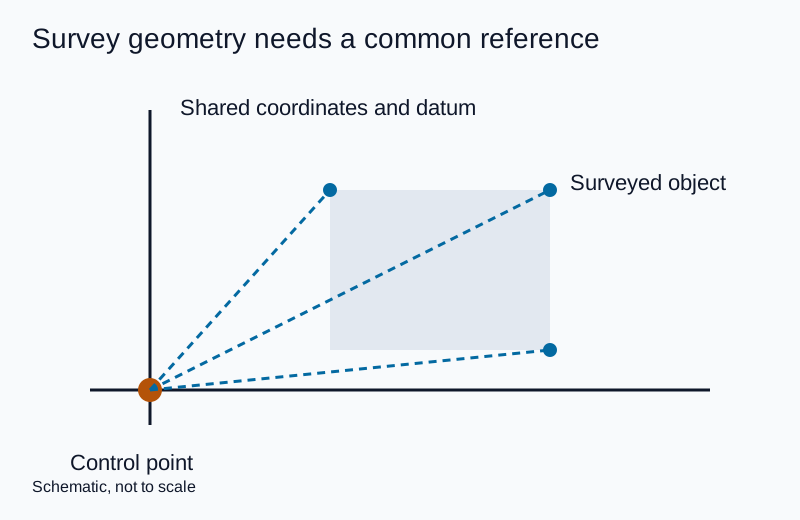
Spatial exchanges also need agreed units, origin and coordinate reference. Check a transferred model or survey against known control points before using it for dimensional decisions; Caltrans Chapter 15 describes control and independent checking for terrestrial laser surveys.
“Integrates with BIM” is not a complete requirement. Ask which information moves, in which direction, with which identifiers and what happens to attachments, comments and status history.
buildingSMART’s IFC overview describes an open international standard for exchanging built-asset information. Its BCF introduction explains the exchange of model-based issues between applications. These standards support defined exchanges; their names on a product page do not prove that your complete workflow will transfer correctly.
Test a representative issue from creation through export and import. Confirm that the receiving tool retains the correct location, object reference, viewpoint and decision history required by the project. Repeat after a model revision if that is part of normal operation.
Keep a usable export path for project closeout or supplier change. The owner should know which records can be retrieved without an ongoing subscription and which proprietary features will be lost.
Evaluate device and account security before rollout
Connected devices extend the project’s information environment. Someone must own their configuration, maintenance and retirement, not just their installation.
NIST IR 8259A provides a core baseline of IoT device cybersecurity capabilities as a starting point for organizations acquiring or integrating devices. It is not a certification that a particular camera or sensor is secure.
Turn the security review into procurement questions. Who can administer the device? How are access changes managed? How are updates delivered and supported? What happens when a subcontractor leaves? How is project data removed when equipment is reassigned?
Have the responsible IT or security team assess the answers in the context of the actual system. A vendor’s broad statement that data is “encrypted” does not explain every account, interface, backup or support-access risk.
Address worker privacy before collecting data
Cameras, location tags and attendance systems may collect information about identifiable people. Define the purpose and assess whether less intrusive information would meet it.
The UK Information Commissioner’s guidance on monitoring workers addresses transparency, necessity and proportionality. Its legal context is the UK; other jurisdictions may impose different requirements. Obtain appropriate advice for the actual deployment.
Document who can access the data, how long it is kept and how workers are informed. Do not quietly repurpose safety-related data for individual performance scoring. A new purpose requires its own assessment rather than an assumption that all collected data is available for any use.
The pilot should include the people who will be recorded or asked to supply information. Their feedback can expose confusing procedures and practical concerns before the system expands.
Design a pilot that can fail honestly
A pilot should have a defined area, duration, users and decision owner. State what success would look like and what would lead to revision or cancellation before the demonstration begins.
Use the current workflow as a baseline. Record how long the relevant task takes, how often required information is missing and how much re-entry or clarification is needed. Keep comparable definitions during the pilot.
Include ordinary field conditions, not only a controlled vendor demonstration. Test the workflow where users will actually work, with the connectivity, access and document complexity they will encounter.
| Test | Evidence to collect | Question answered |
|---|---|---|
| Normal task | Completed record and resulting action | Does the workflow serve its purpose? |
| Missing observation | Visible exception and assigned response | Can the team recognize a data gap? |
| Offline operation | Local capture and later reconciliation | Is information preserved correctly? |
| Conflicting updates | History and resolved status | Which decision is authoritative? |
| Incorrect result | Correction process and retained evidence | Can users challenge and fix errors? |
| Export and closeout | Usable records outside the original interface | Can the project retain its evidence? |
Do not remove inconvenient failure cases from the evaluation report. They identify the limits within which the system might be useful.
Treat AI output as a proposal requiring the right review
AI may be used to summarize records, classify images or suggest issues. Define the allowed use and the review required before a result affects work.
A progress estimate from images should state the observed area, capture date and known limitations. It should not silently become proof of concealed installation or contractual completion.
Ask how incorrect results are corrected and whether the original evidence remains available. Evaluate false positives and missed cases separately when relevant. A single headline accuracy figure can hide the error type that matters most to the project.
For repair work, link digital records to the actual acceptance process. The concrete restoration guide shows why photographs supplement, rather than replace, inspection of preparation and placement.
Measure operating value, including the effort to maintain it
Useful measures include time to find an accepted record, time to assign an issue, missing required fields, repeated data entry and the share of tasks completed through the intended workflow. Login counts alone do not establish improvement.
A document-retrieval pilot can compare the time needed to find inspection evidence before and after a change. It should also record the time spent creating and correcting those records. A faster search is less persuasive if it creates substantial extra work upstream.
Separate observations from causal claims. Staffing, work complexity and changing project stages may affect the results. Report those limitations rather than claiming the software alone produced every improvement.
Compare the full cost of ownership
Include hardware, installation, connectivity, subscriptions, training, integration, support, replacement devices and data administration. Also identify costs for export, storage and project closeout.
Ask who will maintain the location register, revise forms and onboard new subcontractors. Those tasks do not disappear when a platform is purchased.
Compare alternatives against the same bounded workflow. A simpler mobile form may be sufficient for one problem, while another requires model-linked data or specialized measurement. The question is suitability, not how many technologies appear on the proposal.
The building material systems guide offers a related principle: interfaces matter. For digital systems, the interface includes both data exchange and the handoff between people.
Decide whether to expand, revise or stop
At the end of the pilot, reconcile the evidence with the original criteria. Identify what worked, what failed, what remains untested and who would own the ongoing service.
Expansion should include the operating process, training, fallback and support, not just additional licenses. If the pilot did not improve the decision, revise the workflow or stop that deployment. Preserve the findings so the next evaluation does not repeat the same uncertainty.
Frequently asked questions
Does a smart site need sensors everywhere?
No. A useful digital workflow may begin with consistent location-based records and clear review responsibilities. Add sensing only when it supplies information needed for a defined decision.
Is a BIM model a digital twin?
Do not rely on the label alone. Ask what is connected to actual conditions, how often it updates and which decisions it supports. A static model and a live operational system have different capabilities.
Can technology replace site supervision?
It can support information collection and coordination, but it does not remove the need for competent people and defined authority. The project must still assign technical, safety and acceptance decisions appropriately.
What should happen during an outage?
Follow the agreed fallback, make unavailable information visible and reconcile records after recovery. Do not let a disconnected system continue presenting an unqualified “all clear” status.
Explore the related topic and technical references.